


What Video Editing Software Do YouTubers Use for Professional Quality Videos
If you have ever watched a polished YouTube video and wondered what video editing software YouTubers use to achieve that level of quality, you are not alone. From smooth cuts and clean transitions to cinematic color grading and professional audio, editing plays a huge role in how a video feels. The good news is that you do not need a Hollywood budget or years of experience to use the same tools many creators rely on today.
Table of Contents
- Why Choosing the Right Video Editing Software Matters
- What Video Editing Software Do YouTubers Use Most Often?
- What Free Video Editing Software Do YouTubers Use?
- How Do YouTubers Choose Their Editing Software?
- Professional Features YouTubers Look For
- Can Free Editing Software Really Look Professional?
- Common Mistakes New YouTubers Make When Choosing Software
- FAQ: Video Editing Software for YouTubers
In this guide, we will break down the most popular video editing software YouTubers use, why they choose them, and which options are best for beginners, professionals, and creators on a budget. Whether you are just starting a channel or looking to upgrade your workflow, this guide on video editing tools will give you a clear and honest answer.
Why Choosing the Right Video Editing Software Matters
YouTube is a highly competitive platform. Millions of videos are uploaded every day, and viewers quickly judge quality. According to Search Engine Journal’s guide to the YouTube algorithm, understanding editing and engagement strategies is crucial.
Good editing helps you:
- Keep viewers engaged for longer watch time
- Tell your story clearly and smoothly
- Build a professional and trustworthy brand
- Stand out from low-effort content
The right video editing software for your needs can save time, reduce frustration, and help you focus on creativity instead of technical problems.
What Video Editing Software Do YouTubers Use Most Often?
YouTubers use different tools depending on their content style, experience level, and budget. However, a few names consistently appear across beginner and professional channels.
Adobe Premiere Pro
Adobe Premiere Pro is one of the most widely used editing tools among professional YouTubers. It is known for its flexibility, powerful features, and seamless integration with other Adobe products.
Why YouTubers use it:
- Advanced timeline editing and control
- Excellent color grading tools
- Strong audio editing and effects
- Works well with After Effects and Photoshop
Many large creators and production-style channels rely on Premiere Pro because it can handle complex projects and high-resolution footage without limits, as explained in our Adobe Premiere Pro tutorials.
Final Cut Pro
Final Cut Pro is a favorite among YouTubers who use Mac computers. It is known for its speed, clean interface, and smooth performance, even with large video files.
Why YouTubers use it:
- Optimized performance on macOS
- One-time purchase instead of a subscription
- Fast rendering and playback
- Professional-quality effects and transitions
Creators who want powerful editing without monthly fees often choose Final Cut Pro.
DaVinci Resolve
DaVinci Resolve has become extremely popular in recent years, especially because of its generous free version, which we compare in our free vs paid software guide.
Many YouTubers use it for both editing and advanced color correction.
Why YouTubers use it:
- Industry-leading color grading tools
- Professional features in the free version
- Built-in audio editing with Fairlight
- Suitable for beginners and professionals
This is one of the best examples of free video editing software that can truly compete with paid options.
iMovie
For beginners on Mac, iMovie is often the first step into video editing. While it is not as advanced as professional tools, many YouTubers started their journey using iMovie.
Why YouTubers use it:
- Free and pre-installed on Mac devices
- Very beginner-friendly interface
- Simple transitions and titles
iMovie is ideal for basic edits, vlogs, and learning the fundamentals of editing.
Filmora
Filmora is popular among beginner and intermediate YouTubers who want professional-looking results without a steep learning curve.
Why YouTubers use it:
- Easy drag-and-drop editing
- Built-in effects, music, and transitions
- Affordable pricing
It is a practical choice for creators who want speed and simplicity.
What Free Video Editing Software Do YouTubers Use?
Not every successful YouTuber starts with paid software. Many creators use editing software options, especially in the early stages.
DaVinci Resolve (Free Version)
This is the most popular free option among serious YouTubers. It supports professional workflows without forcing you to upgrade immediately.
Shotcut
Shotcut is an open-source editor that works on Windows, Mac, and Linux.
- No watermark
- Supports many video formats
- Basic but reliable editing tools
OpenShot
OpenShot is another beginner-friendly free editor.
- Simple interface
- Unlimited tracks
- Good for basic YouTube videos
These tools prove that you do not need to spend money to start creating quality content.
How Do YouTubers Choose Their Editing Software?
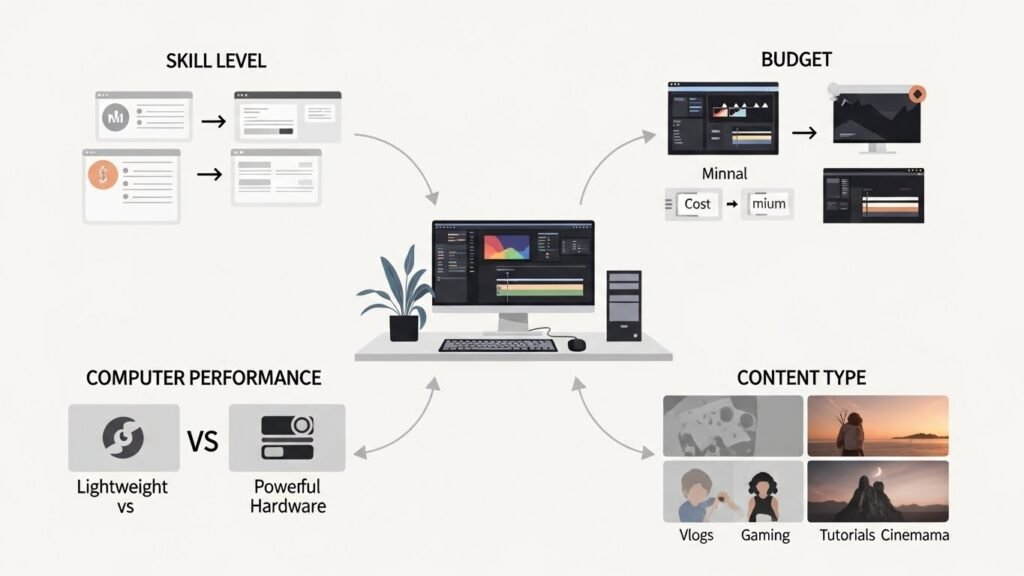
YouTubers usually choose software based on a few practical factors:
- Skill level: Beginners prefer simple interfaces
- Budget: Free or one-time purchase tools are attractive
- Computer performance: Some software needs powerful hardware
- Content type: Vlogs, gaming, tutorials, or cinematic videos
There is no single “best” software for everyone. The best choice is the one that fits your workflow and helps you publish consistently.
Professional Features YouTubers Look For
Regardless of the tool, most YouTubers care about these features:
- Precise cutting and trimming
- Color correction and grading
- Audio cleanup and noise reduction
- Text, titles, and subtitles
- Export settings optimized for YouTube
Modern video editing software for YouTube usually includes these essentials.
Can Free Editing Software Really Look Professional?
Yes, absolutely. Video quality depends more on how you use the software than on which software you use. Many viewers cannot tell whether a video was edited with paid or free tools.
Good lighting, clear audio, thoughtful cuts, and storytelling matter far more than expensive software.
Common Mistakes New YouTubers Make When Choosing Software
- Choosing overly complex tools too early
- Ignoring system requirements
- Switching software too often
- Focusing on effects instead of storytelling
Starting simple and growing gradually is usually the smartest approach.
FAQ: Video Editing Software for YouTubers
What video editing software do YouTubers use the most?
Many professional YouTubers use Adobe Premiere Pro, Final Cut Pro, or DaVinci Resolve. Beginners often start with iMovie, Filmora, or free tools like DaVinci Resolve.
Is free video editing software good enough for YouTube?
Yes. Free video editing software like DaVinci Resolve, Shotcut, and OpenShot can produce high-quality YouTube videos when used correctly.
What is the best editing software for beginners?
DaVinci Resolve (free version) is one of the best options, offering professional features with a learning curve that beginners can manage.
Do YouTubers need expensive software to succeed?
No. Many successful creators started with basic or free tools. Consistent content, good storytelling, and audience connection matter more.
Which video editing software for YouTube is easiest to learn?
iMovie, Filmora, and OpenShot are considered very beginner-friendly while still delivering clean results.
Understanding what video editing software YouTubers use helps you make informed decisions without wasting time or money. Whether you choose a professional paid tool or an editing software option, the real key is learning your software well and focusing on creating videos your audience genuinely enjoys.






