



Keeping software updated is critical for maintaining system security, but many organizations struggle to do it efficiently. Learn more about software update best practices to stay protected.
What is software patch management, and why does it matter for protecting your systems? In this article, we’ll break down the concept of patch management, explain the importance of security patches, and show how effective patching improves overall system security.
Understanding Software Patch Management
At its core, patch management is the process of identifying, acquiring, testing, and installing software updates, known as patches, to maintain the security and functionality of applications and systems. Patches can fix bugs, improve performance, and, most importantly, address security vulnerabilities that cybercriminals could exploit. Learn more about official patch management guidelines from CISA.
What is a Patch?
A patch is a small update to software designed to fix specific problems or vulnerabilities. It can be a single code file or a larger set of changes bundled together. Security patches, for example, fix vulnerabilities that attackers might exploit to gain unauthorized access, steal data, or disrupt system operations.
Why Patch Management is Crucial for Security
Every day, new software vulnerabilities are discovered. Organizations should follow cybersecurity strategies for businesses to reduce risks.
Hackers actively look for systems that have unpatched software, making timely patch management a critical component of cybersecurity. Here are the main reasons why patch management matters:
- Prevents Exploits: Unpatched systems are vulnerable to malware, ransomware, and hacking attempts.
- Maintains Compliance: Many industries require regular patching to meet regulatory standards like HIPAA, GDPR, or PCI-DSS.
- Improves System Stability: Patches often include bug fixes that prevent crashes and improve software performance.
- Protects Sensitive Data: Security patches help safeguard confidential information from leaks or theft.
How Software Patch Management Improves Security Patch Effectiveness
Not all patches are applied the same way. A strong patch management strategy ensures that security patches are applied correctly and on time, maximizing their effectiveness. Here’s how:
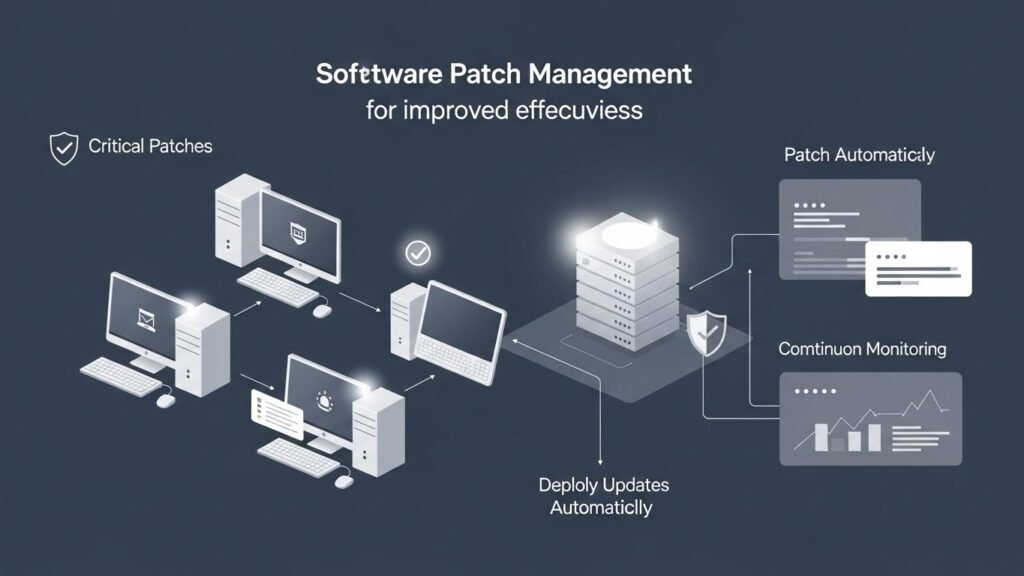
1. Automated Patch Deployment
Automated patch management tools can scan systems for missing patches and deploy them without manual intervention. This reduces human error and ensures critical updates are not overlooked.
2. Prioritizing Critical Patches
Not every patch is equally urgent. Effective patch management prioritizes security patches for vulnerabilities that pose the highest risk, ensuring that the most dangerous threats are addressed first.
3. Testing Before Deployment
Before rolling out patches widely, testing ensures that updates don’t conflict with existing systems or software. This protects business operations while still addressing security gaps.
4. Monitoring and Reporting
Good patch management includes tracking which systems are patched and which are not. Regular monitoring helps IT teams verify that patches are applied correctly and allows for rapid remediation if issues arise.
Common Challenges in Patch Management
Despite its importance, patch management can face several challenges:
- Large IT Environments: Managing patches across hundreds or thousands of devices can be complex.
- Legacy Systems: Older software may no longer receive updates, leaving gaps in security.
- Compatibility Issues: Some patches may interfere with other applications or system functions.
- Human Error: Delays or mistakes in applying patches can leave systems exposed.
Best Practices for Effective Patch Management
To maximize the benefits of patch management, follow these best practices:
- Maintain an Inventory: Keep a detailed list of all software, hardware, and systems that need patching.
- Automate Where Possible: Use tools to scan, deploy, and monitor patches across your network. Check our guide on IT automation tools for efficiency.
- Prioritize Security Patches: Focus on patches that fix vulnerabilities with high-risk potential.
- Test Updates: Verify that patches won’t disrupt business-critical systems.
- Document Everything: Maintain logs of applied patches and any issues encountered for compliance and auditing purposes.
FAQ
What is software patch management?
Software patch management is the process of managing updates to software and systems, including identifying, testing, and installing patches to fix bugs or security vulnerabilities.
Why are security patches important?
Security patches fix vulnerabilities that hackers could exploit. Applying them promptly reduces the risk of cyberattacks and data breaches.
How often should I apply patches?
Critical security patches should be applied as soon as possible, while other updates can follow a regular schedule, such as weekly or monthly, depending on your organization’s policy.
What is a patch in software?
A patch is an update to software that fixes specific issues or vulnerabilities, improves functionality, or enhances performance.
Can patch management prevent all cyberattacks?
No, patch management is one important layer of security. It works best alongside other measures like firewalls, antivirus software, and employee training.






