


VSDC Free Video Editing Software Complete Guide for Beginners
If you are new to video editing and searching for a powerful tool that does not cost anything, VSDC free video editing software is one of the most popular options available today. Many beginners feel overwhelmed when choosing editing software, especially when professional tools seem expensive or complicatedThis guide is written to help you understand VSDC in a simple, practical way, and if you’re just starting out, you may also find this beginner-friendly overview of VSDC helpful as a next step.
Table of Contents
- What Is VSDC Free Video Editing Software?
- Who Should Use VSDC Free?
- Key Features of VSDC Free Video Editing Software
- System Requirements for VSDC Free
- How to Get Started with VSDC Free Video Editing Software
- Advantages of Using VSDC Free Video Editing Software
- Limitations You Should Know
- Is VSDC the Best Editor Video Free for Beginners?
- Tips for Beginners Using VSDC Free
- Frequently Asked Questions (FAQ)
In this complete beginner guide, we will explore what VSDC is, how it works, its main features, advantages, limitations, and whether it truly deserves its reputation as one of the best editor video free options on Windows. By the end of this article, you should feel comfortable deciding if VSDC is the right choice for your video editing needs.
What Is VSDC Free Video Editing Software?
VSDC free video editing software is a non-linear video editor designed for Windows users, meaning it follows the principles of non-linear video editing where clips can be arranged freely.
. Unlike basic editors that follow a simple timeline structure, VSDC allows you to place video clips, images, text, and audio anywhere on the timeline. This gives you more creative freedom, even when using the free version.
The software is developed by Flash-Integro and has been around for many years, steadily improving with regular updates. While VSDC also offers a paid Pro version, the free version is fully functional and capable of handling most beginner and intermediate editing tasks.
For many users, VSDC free becomes a starting point for learning video editing concepts without committing to expensive subscriptions.
Who Should Use VSDC Free?
VSDC is especially suitable for:
- Beginners who want to learn video editing from scratch
- YouTubers creating basic to moderately complex videos
- Students working on school or college projects
- Small business owners creating promotional videos
- Anyone looking for a best editor video free solution on Windows
If you are using macOS, VSDC may not be ideal since it is only available for Windows. However, for Windows users, it offers impressive value at no cost.
Key Features of VSDC Free Video Editing Software
One of the main reasons VSDC free video editing software is so popular is its wide range of features. Even in the free version, you get access to tools that are often locked behind paywalls in other editors.
Non-Linear Editing System
VSDC uses a non-linear editing approach, meaning you can place elements anywhere on the timeline. You are not restricted to a single track or fixed sequence. This flexibility is excellent for creative projects once you understand the basics.
Wide Format Support
VSDC supports almost all popular video and audio formats, including MP4, AVI, MOV, MKV, MP3, WAV, and more. This means you rarely need to convert files before importing them.
Video Effects and Transitions
The software includes a variety of visual effects such as color correction, filters, transitions, blur effects, and overlays, similar to what you’ll find in dedicated video stabilization tools.
These tools allow beginners to enhance their videos without advanced technical knowledge.
Text and Title Tools
You can easily add text, captions, and titles to your videos. VSDC provides customizable fonts, colors, animations, and positioning options, making it suitable for tutorials, presentations, and social media content.
Audio Editing Capabilities
VSDC free video editing software also includes solid audio tools. You can adjust volume levels, apply audio effects, remove noise, and sync audio with video clips accurately.
Screen Recording and Video Capture
VSDC offers built-in screen recording and video capture tools, which are useful for creating tutorials, software demos, or even explainer-style videos.
System Requirements for VSDC Free
Before installing VSDC, it is important to ensure your system meets the basic requirements. While the software is lightweight compared to many editors, video editing still requires reasonable hardware.
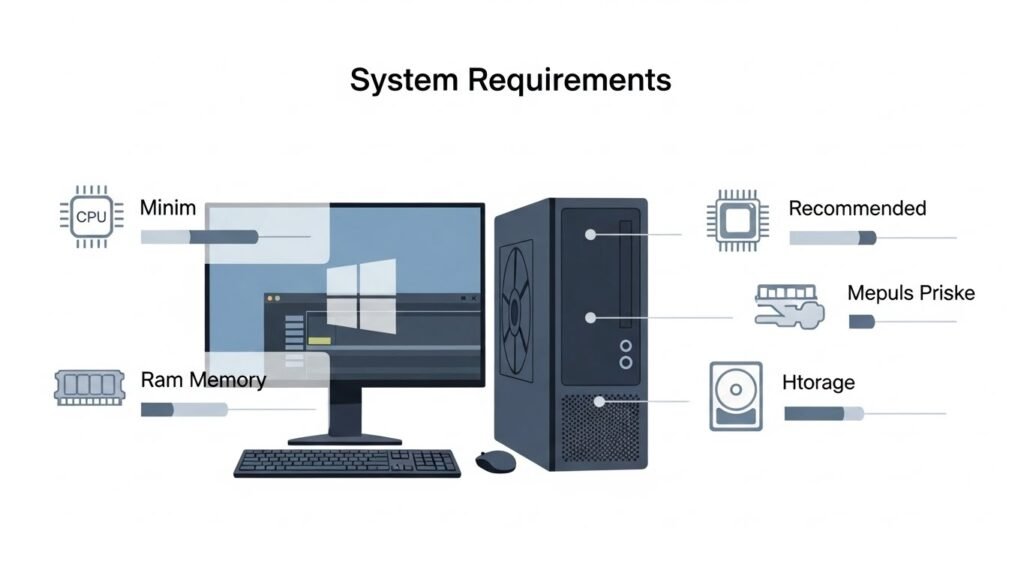
- Operating System: Windows 7, 8, 10, or 11
- Processor: Intel or AMD, 1.5 GHz or higher
- RAM: Minimum 2 GB (4 GB or more recommended)
- Storage: At least 300 MB for installation
For smoother performance, especially with high-resolution videos, more RAM and a better CPU will make a noticeable difference.
How to Get Started with VSDC Free Video Editing Software
Starting with VSDC may feel slightly overwhelming at first, but with patience, it becomes manageable.
Installation and Setup
After downloading and installing the software, launch it and choose “New Project.” You will be asked to set your project resolution, frame rate, and aspect ratio. Beginners can use the default settings or match them to their video footage.
Importing Media Files
You can import videos, images, and audio files directly into the project. Once imported, drag them onto the timeline or canvas area to start editing.
Basic Editing Workflow
Typical editing steps include trimming clips, arranging them on the timeline, adding transitions, inserting text, and adjusting audio. VSDC free video editing software allows you to preview changes in real time.
Exporting Your Video
Once editing is complete, export your video using the “Export Project” option. VSDC offers presets for YouTube, Facebook, Instagram, and other platforms, which makes exporting easier for beginners.
Advantages of Using VSDC Free Video Editing Software
There are several reasons why users choose VSDC free over other tools:
- No watermark on exported videos
- No time limits or trial restrictions
- Advanced features available for free
- Supports high-resolution video editing
- Regular updates and improvements
These benefits make VSDC free video editing software a strong competitor among free editors.
Limitations You Should Know
While VSDC is powerful, it is not perfect. Beginners should be aware of some limitations:
- Only available for Windows
- User interface can feel complex at first
- Some advanced features require the Pro version
- Export speed may be slower in the free version
Understanding these limitations helps set realistic expectations and reduces frustration during learning.
Is VSDC the Best Editor Video Free for Beginners?
When comparing free video editors, VSDC often stands out due to its balance between features and accessibility. While some editors focus on simplicity and others on professional tools, VSDC sits comfortably in the middle.
For beginners willing to spend a little time learning, vsdc free video editing offers more creative control than many alternatives. It may not be the easiest editor on day one, but it rewards users who stick with it.
Tips for Beginners Using VSDC Free
To make your learning experience smoother, consider these practical tips:
- Start with small projects to understand the interface
- Use built-in tutorials and tooltips
- Save your project frequently
- Avoid overusing effects in the beginning
- Match export settings to your platform
With consistent practice, you will quickly gain confidence using VSDC free video editing software.
Frequently Asked Questions (FAQ)
Is VSDC free video editing software really free?
Yes, the free version of VSDC is completely usable without time limits or watermarks. There is a Pro version, but it is optional.
Can beginners learn VSDC easily?
Beginners may need some time to get used to the interface, but with tutorials and practice, it becomes easier and more intuitive.
Does VSDC support 4K video editing?
Yes, VSDC free video editing software supports high-resolution videos, including 4K, depending on your system performance.
Is VSDC better than other free editors?
VSDC offers more advanced features than many free editors, making it a strong choice for users who want flexibility without paying.
Can I use VSDC free for YouTube videos?
Absolutely. Many creators use VSDC free video editing software to edit and export videos optimized for YouTube.






