



Guide to Choosing the Best Open Source Automation Tools
In today’s fast-paced digital world, businesses and individuals alike are constantly looking for ways to streamline tasks and save time. That’s where open source automation tools come into play. They allow you to automate repetitive workflows, integrate apps, and improve efficiency without breaking the bank—especially when paired with cost-saving software solutions available online. In this guide, we’ll explore how to choose the best open source workflow automation tools for your needs in 2026, compare popular options like n8n and Make, and highlight the best deals for hosting automation software.
Table of Contents
What Are Open Source Automation Tools?
Open source automation tools are software solutions that let you create automated workflows across different applications and services, a concept closely related to workflow automation in modern software systems. Unlike proprietary tools, open source options give you full access to the source code, allowing customization, self-hosting, and freedom from vendor lock-in. These tools are ideal for teams that need flexibility, control, and cost-effective solutions for managing repetitive tasks.
Why Choose Open Source Workflow Automation?
There are several reasons to consider open source automation tools over paid alternatives:
- Cost-effectiveness: Many open source tools are free to use, with optional paid hosting or enterprise features.
- Customizability: Full access to source code allows teams to tailor workflows to exact needs.
- Community Support: Large communities provide plugins, integrations, and troubleshooting support.
- Security & Control: Self-hosting options give you complete control over your data and compliance.

Top Open Source Automation Tools in 2026
Here are some of the best open source workflow automation tools to consider:
1. n8n
n8n is a highly popular open source automation platform that allows you to create complex workflows using a visual editor. Its key features include:
- Visual workflow builder with drag-and-drop functionality
- Supports 200+ app integrations
- Self-hosting capability for full data control
- Active community and frequent updates
2. Make (formerly Integromat) – Open Source Alternatives
While Make itself is proprietary, several open source alternatives mimic its features. These alternatives allow for:
- Visual workflow automation similar to Make
- Integration with APIs and third-party apps
- Customizable triggers and actions
3. Huginn
Huginn is an open source system for building agents that perform automated tasks online. Its benefits include:
- Highly configurable event-based automation
- Ability to monitor websites, emails, and social media feeds
- Self-hosting options for full control
n8n vs Make Comparison
If you’re deciding between n8n and Make (or similar open source alternatives), here’s a quick comparison:
| Feature | n8n | Make Alternatives |
|---|---|---|
| Hosting | Self-hosted or cloud | Primarily self-hosted with some cloud options |
| Visual Editor | Yes, drag-and-drop workflow builder | Yes, similar interface in open source versions |
| App Integrations | 200+ integrations | Varies depending on community plugins |
| Pricing | Free for self-hosted, paid cloud plans | Mostly free, optional hosting fees |
Best Open Source Workflow Automation for Teams
When selecting the best open source workflow automation, consider your team size, technical skills, and integration needs. For small teams, n8n offers an intuitive interface and simple setup. Larger teams with developers may benefit from Huginn or other customizable solutions for more complex automation. Always check for community support and plugin availability to maximize efficiency.
Automation Software Hosting Deals 2026
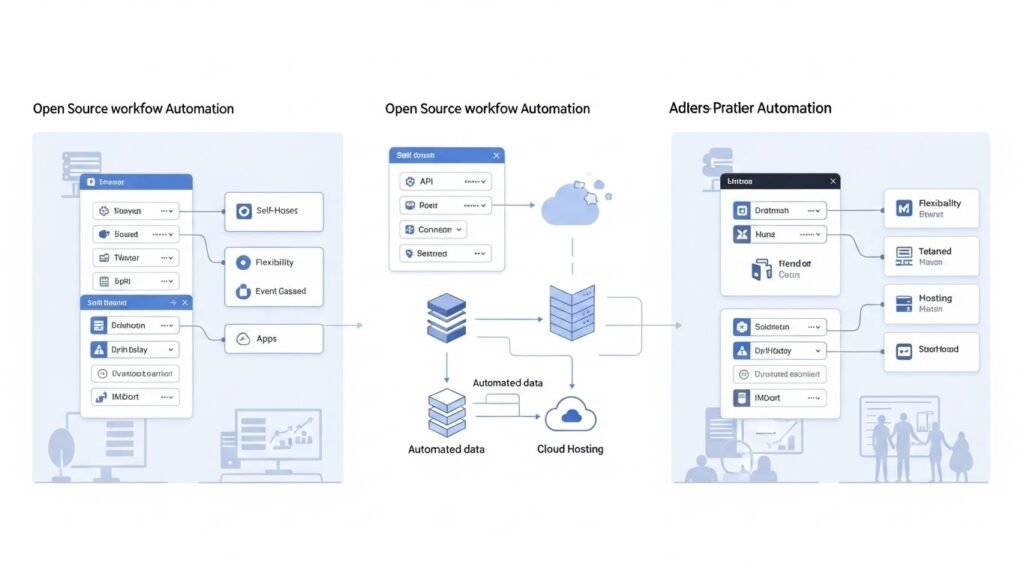
In 2026, hosting your automation tool can save time and reduce maintenance headaches, particularly when using discounted cloud software options. Look for hosting deals that include:
- Pre-configured n8n or Huginn instances
- Managed security updates and backups
- Scalable cloud hosting for team collaboration
Many cloud providers now offer discounts or free tiers for open source automation tools, similar to other long-term software savings available online.
How to Choose the Right Open Source Automation Tool
Follow these steps to select the best tool for your workflow:
- Define your goals: Identify tasks you want to automate and apps you use daily.
- Check integrations: Ensure the tool supports your apps and APIs.
- Evaluate ease of use: Choose a tool that matches your team’s technical skill level.
- Consider hosting: Decide between self-hosted or cloud-hosted options.
- Review community support: A strong community ensures plugins, updates, and troubleshooting help.
FAQ
What are the benefits of open source automation tools?
Open source automation tools offer flexibility, cost savings, customizability, and community-driven support. You can self-host for full data control and avoid vendor lock-in.
Is n8n better than Make?
n8n is ideal for open source enthusiasts who want self-hosting and customization, while Make is a commercial tool with ready-made integrations. Open source Make alternatives offer similar visual workflow features.
Can small businesses use open source workflow automation?
Absolutely. Many open source tools are user-friendly and scalable, making them perfect for small teams looking to automate repetitive tasks without high costs.
How do I host an open source automation tool?
You can host tools like n8n or Huginn on cloud providers such as AWS, DigitalOcean, or specialized managed hosting platforms. Some hosting deals in 2026 offer pre-configured setups to simplify deployment.
What is the best open source workflow automation in 2026?
n8n, Huginn, and Make alternatives are top contenders. The “best” tool depends on your specific workflow needs, team size, and technical skill level.






